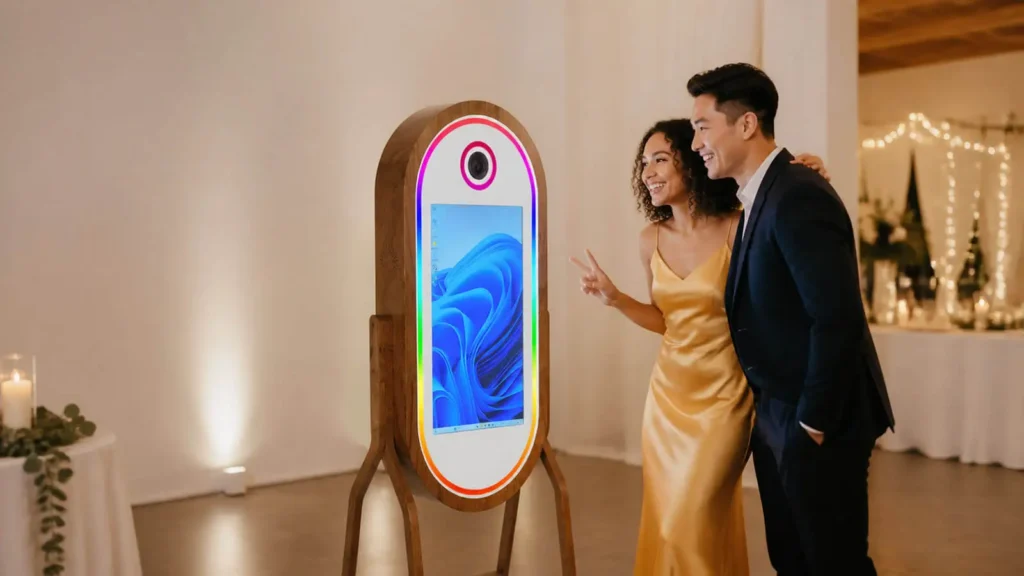
A modern photo booth may have no walls, curtain, or seat. So what is a photo booth today? It is an automated, guided system that captures photos or video, applies creative elements, and delivers the result as a print or digital file.
That definition covers everything from a compact iPad photo booth to an open-air DSLR rig, interactive mirror, or related 360 video experience. Understanding how each format works helps you compare photo booth equipment and judge its value for guests, operators, venues, and brands.
What Makes a Modern Photo Booth Different?
The surprising difference is that the “booth” is now an experience, not necessarily an enclosure. Traditional machines placed a camera and film processor inside a private cabinet. Guests sat behind a curtain and received a strip of developed photographs.
Digital technology separated that familiar experience from the box. An open-air photo booth may use a freestanding camera, touchscreen, lighting, and backdrop. A mirror booth builds the interface into a reflective display, while a tablet booth combines the camera and screen in one portable device.
The housing changes, but three characteristics remain: guided capture, automatic processing, and immediate output. Those constants distinguish a photo booth from a photographer taking pictures at an event.
How Does a Photo Booth Work?
You can understand the complete photo booth journey in six stages:
- Start: The guest taps a touchscreen or control to begin a session.
- Choose: On-screen prompts offer a photo, GIF, video, template, or effect, depending on the system.
- Capture: A countdown gives the guest time to pose before synchronized lighting and a camera record the image or clip.
- Process: Photo booth software applies a branded overlay, template, background, or effect and prepares the finished asset.
- Deliver: The system sends the output to a printer or presents options such as a QR code, text message, or email.
- Manage: Optional cloud tools store a gallery, report engagement, or export consented leads after the event.
The sequence takes moments, but several components must communicate reliably. The software coordinates the guest interface, camera trigger, image processing, printer, and digital delivery. When asking how a photo booth works, think of software as the conductor and hardware as the instruments. A smooth experience depends on the complete system performing together.
The Equipment Behind the Experience
Nothing tests an operator’s patience like discovering at an event that the camera will not connect or the printer is unsupported. Professional photo booth equipment must work as an integrated stack.
The essential components are:
- Camera: An iPad camera, DSLR, or mirrorless camera captures the image.
- Lighting: A flash, LED, or other controlled light keeps results consistent.
- Computer and interface: A tablet or computer runs the touchscreen prompts and processing.
- Software: The application controls capture, templates, effects, printing, and sharing.
- Power and connectivity: Cables, local networking, and internet access support dependable operation.
- Output tools: A dye-sublimation printer creates fast physical keepsakes, while sharing and cloud tools handle digital delivery.
Each choice affects image quality, session speed, uptime, and ease of operation. A beautiful shell cannot compensate for unreliable camera control or a slow print workflow. Before buying, verify camera, operating system, software, printer, and delivery compatibility as one complete journey. Confirm who provides support when any link in that chain fails.
Types of Photo Booths: A Clearer Way to Compare Them
How can one system be both a mirror booth and a DSLR booth? The labels describe different aspects of the product. Comparing types of photo booths becomes easier when you separate three dimensions.
| Dimension | Common choices | What it tells you |
|---|---|---|
| Capture platform | iPad or tablet, DSLR, mirrorless | Portability, image quality, and camera control |
| Physical format | Enclosed, open-air, mirror, kiosk | Footprint, interface, privacy, and visual presence |
| Media experience | Still photo, GIF, AI transformation, video, 360 video | What guests create and share |
An iPad photo booth packages a camera, touchscreen, and computer into a portable platform. It suits fast setup and digital sharing. A DSLR or mirrorless system offers a higher image-quality ceiling and more control over lenses and lighting, but adds cables, tethering, and compatibility checks.
“Mirror” describes the physical interface, not the camera behind it. A mirror booth can contain a dedicated camera and produce photographs, animations, or other media. Likewise, an open-air system may use either a tablet or professional camera.
A 360 booth sits at the edge of the category. Guests stand on a platform while a rotating arm records video, then software adds effects. It is a related interactive video experience rather than a conventional still-photo booth.
Choose by outcome. Prioritize a tablet for mobility and simple sharing, a dedicated camera for photographic control, a mirror for visual impact, or 360 video for dynamic social content.
What Guests Get From the Experience
Guests often need an easy reason to stop watching and start participating. A photo booth supplies one through a clear prompt, a countdown, and a shared activity that requires no photographic skill.
Friends can pose together, use physical props or digital effects, and see the result immediately. Personalized templates can carry names, dates, event artwork, or brand elements without complicating the guest journey.
The strongest experience combines two kinds of value. An instant print becomes a physical keepsake, while a digital file can arrive through a QR code, text, email, or AirDrop when supported. Good design reduces steps and waiting time, yet makes each output feel personal to the event and the people in it.
How Photo Booths Create Business Value
A photo booth can earn more than one event-rental fee. Operators can sell event packages, premium prints, custom designs, AI effects, or branded experiences. Other models include pay per session, venue revenue sharing, sponsorship, and sub-rental to photographers, DJs, or event companies.
Permanent installations add another route. Foto Master’s published Phillip Island example places a Mirror X inside a tourist attraction, where guest sessions can generate direct revenue. The same principle can apply where dependable footfall and suitable staffing support regular use.
For brands, the value may be indirect but measurable. Guests create branded photos, GIFs, or videos, then provide consented contact details to receive them. The operator can export those records for approved follow-up, while social sharing extends the campaign beyond the venue. Cloud reporting can track participation and delivery activity.
The distinction matters: rentals and pay-per-play sessions create direct revenue, while lead capture, sponsorship, branded content, and engagement reporting create marketing value. A professional photo booth can support either model, but the experience, consent process, and reporting workflow must match the commercial goal.
Should You Rent, Buy, or Install a Photo Booth?
Use this fast rule: rent for a one-off event or market test, buy for repeat bookings and greater control, and install permanently where steady footfall supports ongoing use.
A short-term rental usually includes transport, setup, custom artwork, and an attendant. Buying gives an operator control over pricing, availability, software, and service design, but also transfers responsibility for storage, transport, maintenance, consumables, and support.
A permanent photo booth installation may run unattended or with venue staff. Its model could be pay per play, equipment rental, provider revenue share, sponsorship, or free guest use funded by marketing value.
Compare utilization before purchase price. Estimate booking frequency or venue sessions, then model staffing, transport, setup time, maintenance, and technical support. The right acquisition method is the one your operation can use reliably enough to justify its full cost.
What to Look for in a Professional Photo Booth System
Troubleshooting a failed print workflow while guests wait feels different from comparing attractive product photos online. Evaluate a professional photo booth as equipment you must transport, operate, and recover under live-event pressure.
Before committing, check the following:
- Verify that the camera, tablet or computer, software, and printer are supported together.
- Test every template, effect, print layout, and digital delivery path before travel.
- Measure the packed weight, booth footprint, cases, load-in route, setup time, power needs, and cable layout.
- Carry enough media and consumables, plus critical spare cables, adapters, and power components.
- Confirm training, remote management, technical support, replacement parts, and an offline fallback.
Durability matters because professional systems may move repeatedly between weddings, corporate functions, and brand activations. Frequent operators and multi-location programs benefit most from an integrated hardware, software, cloud, and support path. A simpler setup may suit occasional events with limited output requirements, provided compatibility is proven.
Judge the system by how consistently it completes the full guest journey, not by its longest feature list.
Frequently Asked Questions About Photo Booths
Does a photo booth have to be enclosed?
No. Traditional photo booths used walls, a curtain, and a seat, but modern systems also use open-air kiosks, mirror interfaces, or freestanding camera rigs. Guided capture, automatic processing, and immediate output define the category. See What Makes a Modern Photo Booth Different? above for the full distinction.
Is a 360 booth really a photo booth?
A 360 booth belongs to the broader interactive booth market, but it is technically a rotating video experience. Guests stand on a platform while a camera arm records a clip for software processing. It does not operate like a conventional still-photo kiosk.
Do modern photo booths still print photos?
Yes. Many modern photo booths use fast dye-sublimation printers. Others focus on delivery through QR codes, text, email, or AirDrop. Professional systems may offer both, allowing the operator to match delivery methods to event goals and guest flow.