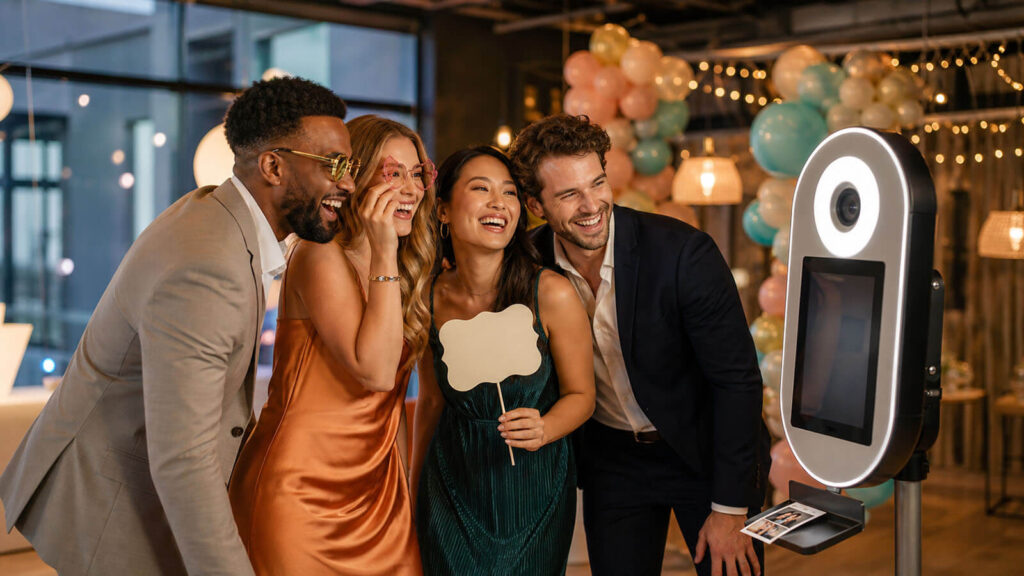
An attractive backdrop cannot rescue a booth that creates a queue, produces dim photos, or turns the host into on-call technical support. The best photo booths for birthday parties are planned as complete guest experiences, with clear ownership, reliable equipment, simple instructions, and an output people actually want, whether that means polished portraits, playful GIFs, private digital delivery, or photo strips ready to take home.
This eight-step guide covers both a DIY photo booth for a birthday party and a professional rental, including the space, lighting, privacy, testing, and backup decisions that are easy to miss. Follow it to build a safe, inclusive setup that guests understand quickly and that keeps working while you enjoy the celebration.
Step 1: Choose DIY or Rental Based on Who Will Run It
Make this decision quickly: name the person who will transport, install, supervise, troubleshoot, and remove the birthday party photo booth. If nobody can own those jobs, choose an attended rental.
Compare the four practical operating models:
| Model | Best fit | Host workload |
|---|---|---|
| Phone or tablet DIY | Simple digital photos, small guest list, equipment already owned | High |
| DSLR or mirrorless DIY | Polished images, compatible software, confident technical owner | High |
| Drop-off rental | Custom prints or sharing without buying hardware | Medium to high |
| Attended rental | Busy party, premium output, minimal host involvement | Low |
Do not compare price tags alone. A DIY setup may reduce cash cost when you already own the device, stand, and lighting. Still, include the booth-app subscription, print media, transport, testing time, supervision, and teardown in the true cost. Builders also report camera, printer, and software compatibility problems that can turn an inexpensive configuration into an event-day project.
Choose DIY for straightforward digital capture when a capable person can stay responsible. Choose an attended rental when photo booths for birthday parties need printing, advanced equipment, or hands-off operation so the host can focus on guests.
By now, you should have one operating model and one named owner for the entire session. Record that owner’s phone number on the setup and recovery card.
Step 2: Define the Guest Experience, Theme, and Takeaways
What should guests carry away: a digital portrait, printed strip, GIF, video clip, guestbook entry, or some combination? Answer that before buying decorations or selecting software.
Match the experience to the birthday. For young children, use simple props and an adult-operated remote so little hands do not move the camera. For teens, consider trend-aware overlays, GIFs, group challenges, or short video. For a milestone birthday, prioritize flattering portrait lighting and polished output. At a mixed-age event, use large instructions and a capture sequence that feels obvious on the first try.
Create one visual system. Coordinate the backdrop, two or three prop families, on-screen overlay, and print design around the same colors or theme. Avoid piles of loose props that slow the queue or create a trip hazard.
Treat a 360 video booth as a separate operational choice. Its platform and moving arm require more clearance, active supervision, and a different guest flow than static photo booths for birthday parties.
Write a one-sentence brief such as: “Guests create bright space-themed portraits and receive one digital image plus a print.” Keep digital capture simple, or accept the extra planning required for prints and video.
Step 3: Pick a Location and Plan the Guest Flow
A few feet of poor placement can turn popular photo booths for birthday parties into bottlenecks. Keep roughly 4 to 6 feet clear in front of a static setup as a planning baseline, then confirm the space required by your actual equipment.
Place the booth where guests can see it without blocking an entrance, buffet, dance floor, restroom route, or emergency exit. Put props within reach but outside the shooting area and walking path. Leave a distinct exit route so finished groups do not collide with the next group.
Check the location before committing:
- Confirm the floor or ground is sturdy and level.
- Find a nearby outlet and route power away from feet.
- Test Wi-Fi if live sharing or wireless printing needs it.
- Look for harsh windows, changing sunlight, and strong overhead light.
- Prepare an indoor alternative for an outdoor party.
Design for seated guests from the start. Provide a clear approach, reachable controls, readable instructions, and enough turning room. Test the camera framing with an actual seated person instead of tilting a standing-height camera and hoping it works.
Follow the rental provider’s full clearance specification for a 360 platform and moving arm. Static-booth dimensions do not apply.
Sketch and label five zones: booth, queue, props, power, and exit. If forced to choose, pick a slightly quieter, safer spot over a highly visible location buried in traffic.
Step 4: Assemble the Camera, Mount, Backdrop, and Power
Complicated photo booth setups often fail at a basic dependency: an unstable stand, an empty battery, or a cable that does not connect. Build the reliable core first.
For a minimum viable DIY booth, gather:
- A phone or tablet
- A stable mount with a locked head
- A booth app or remote trigger
- A ring light or other continuous light
- A backdrop and secure support
- Continuous power or a tested charger
- Enough local storage for the event
An iPad mounted inside a ring light creates a compact all-in-one configuration. Two LED panels or vertical light tubes offer more control when you have extra floor space. A DSLR or mirrorless camera can produce higher-quality files, but it also introduces camera control, cables, software tiers, and printer compatibility. Verify each connection before buying or renting the next component.
Assemble in dependency order. Secure the backdrop first. Position the mount and device, set the height, then lock the tripod head. Route power and connect accessories before laying out props. Keep spare charging cables and a power bank nearby. If you promise prints, add replacement paper, media, and the correct printer supplies to the checklist.
Capture and save one image locally before refining lighting, sharing, or printing. That saved file is the milestone for this step. A shorter feature list that works throughout the party beats ambitious photo booths for birthday parties that stop after the first group.
Step 5: Set Lighting, Framing, and Accessible Controls
Improve photo booths for birthday parties at once by placing a soft light close to the camera axis and removing harsh backlighting. This usually matters more than adding another box of props.
For a compact setup, center the tablet inside a ring light and soften or lower the output if faces look flat. For wider groups or more polished portraits, place two LED panels or vertical tubes on either side of the camera. Keep light stands outside the guest path and secure their cables.
Set the frame for the largest group you expect, then mark the standing position on the floor. The mark stops guests from crowding the lens or pressing against the backdrop. Set camera height for the people using it, including seated height when seated participation is a priority. Test with real guests rather than relying on camera tilt.
Make the start control reachable from both standing and seated positions. Use large, high-contrast instructions and keep the interaction to a few clear taps. If flashing effects, sound, or a rapid countdown could be uncomfortable, provide a quieter, non-flashing option.
Photograph people of different heights and skin tones, plus light and dark clothing, solo guests, and seated and standing groups. Adjust exposure, framing, and distance from the backdrop until the results stay consistent.
By now, one fixed frame should work without guests moving the equipment. Simplify an effect before sacrificing clear faces, readable controls, or access.
Step 6: Configure Capture, Sharing, Printing, and Privacy
Can a guest understand where the image goes before entering a phone number or email address? If not, simplify the delivery flow before opening the booth.
Configure the screen in a short sequence:
- Tap to start.
- View the countdown and capture.
- Preview or edit the image.
- Choose a privacy setting.
- Select the available delivery method.
Separate capture from delivery. Save each photo locally first so weak Wi-Fi does not stop the session. Queue texts or emails for later, or publish the restricted gallery after connectivity returns. This keeps the photo booths for birthday parties active even when live sharing does not cooperate.
Tell guests what the system stores, who can view the images, and why it requests contact details. Default to a restricted or password-protected gallery. For children’s photos, ask a parent or guardian before public posting. This is practical privacy guidance, not legal advice for a specific jurisdiction.
If you offer printing, test the layout, paper or media, printer-server connection, reprint control, and final cut or alignment. Collect a phone number or email address only when the selected delivery method requires it.
Finish with a test guest who can understand consent, complete capture, receive the promised output, and decline public sharing. Private delivery by default is safer and clearer than automatic public posting.
Step 7: Test the Full Setup and Prepare a Backup Plan
Testing only the shutter leaves the most expensive failures undiscovered. Rehearse the complete experience while there is still time to fix it.
Start in order: verify the camera, lighting, power, internet, software, complete guest session, and cleared interaction zone. Run 10 to 15 sessions with solo guests, groups, seated and standing subjects, varied heights, and prop-heavy poses. Check every promised path, including local save, text or email, restricted gallery, print alignment, reprint, app restart, and device restart.
Complete a physical safety check:
- Lock the mount and confirm the backdrop cannot tip.
- Route cables along walls and secure them with gaffer tape or cable ramps.
- Avoid overloaded outlets and damaged extension leads.
- Supervise small props around young children.
- Protect equipment from weather and moisture.
- Maintain the provider’s full clearance around a 360 booth.
Create a one-page fallback ladder. List a spare charging cable or power bank, a method for clearing storage, local capture when Wi-Fi fails, digital-only mode when printing fails, spare media, a manual remote trigger, and the named troubleshooter’s contact details.
For a wireless printer failure, verify that the capture device and printer-server device use the same network. Keep the server app open, restart both devices, and avoid overlapping print jobs. If printing still fails, continue digital capture and deliver files later.
Hand the instruction card to someone who did not build the booth. Ask that person to complete a session and follow one recovery path without calling the host. When they succeed, your photo booths for birthday parties are ready. A reduced but working experience is better than a feature-rich setup with no fallback.
Step 8: Launch the Booth and Keep Guests Engaged
Get the first group through early, and the booth starts advertising itself. Place one concise “Start Here” card beside the screen, then invite the birthday guest or a confident group to demonstrate the full journey.
Use prompts suited to the event. Give young children simple props and let an adult trigger the camera. Offer teens challenge cards, themed poses, or group prompts. For a milestone celebration, prompt pairs, families, and friend groups to create polished portraits together.
Assign the owner from Step 1 to check the booth at natural intervals. Inspect mount position, power, storage, print media, prop clutter, queue length, and delivery status. Do not quietly return technical responsibility to the birthday host.
When a queue forms, move props out of the capture zone and pause complicated retakes. If printing becomes the bottleneck, switch temporarily to digital-only delivery. Clear, fast choices keep people participating without making the experience feel rushed.
At closing time, stop new sessions, verify that files are saved, preserve restricted gallery settings, and pack accessories methodically. Send queued images when connectivity returns.
An attendant adds real value for busy, print-heavy, or technically complex photo booths for birthday parties. For a simple, tested digital setup, a named monitor can be enough. The milestone is a booth that remains visible, understandable, and stable through the event.
FAQ About Birthday Party Photo Booths
Is a DIY photo booth actually cheaper than renting one?
It can be cheaper when you already own the device, mount, and lighting and only need digital output. Compare the full cost, including software, print media, testing, supervision, troubleshooting, transport, and teardown. An attended rental costs more but transfers much of that work to the provider.
Price the owner’s time as part of the comparison.
How much space does a birthday photo booth need?
Keep roughly 4 to 6 feet clear in front of a static booth as a planning baseline. Add space for the queue, props, accessible approach, and exit. Confirm the equipment provider’s dimensions, especially for a 360 booth with a platform and moving arm.
Measure the selected location before reserving equipment.
What should I do if the Wi-Fi fails?
Continue saving photos locally and pause live delivery. Confirm that sharing and printer devices use the intended network, restart the required apps or devices, and queue delivery for later. Successful capture should never depend entirely on an internet connection.
Tell guests when their delayed images will arrive.
How can a photo booth include seated guests?
Set and test camera height with an actual seated person. Keep the approach clear, place controls within reach, and use large, high-contrast instructions. A standing-height camera tilted downward rarely provides the same comfortable framing or independent access.
Keep props reachable without blocking the clear route.
Should children’s photo booth pictures go in a public gallery?
Use a restricted or password-protected gallery by default and obtain parent or guardian consent before public posting. Explain what the booth stores and who can view it. This is practical privacy guidance, not a substitute for rules that apply in your jurisdiction or organization.